Have you ever wished you could turn off the bedroom lights without leaving your warm bed? Or maybe you’ve left the house wondering if you forgot to switch off the fan? We used to think smart homes were only for tech billionaires or new, expensive apartments. But that isn’t true anymore.
You don’t need to rip out your walls or buy expensive new appliances to make your home “smart.” The solution is much smaller, cheaper, and hidden right behind your existing switchboard.
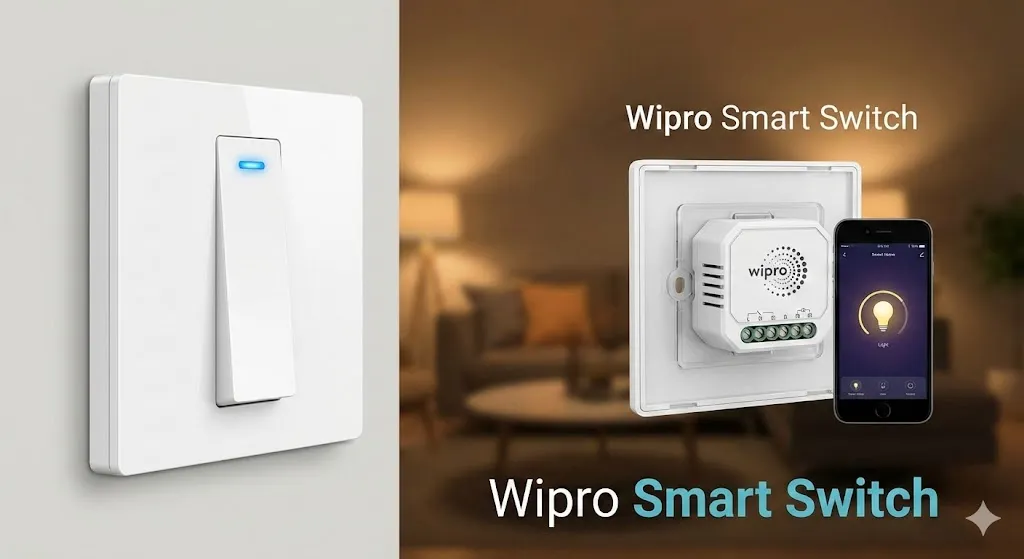
Enter the Wipro Smart Switch Module.
In this guide, we will explore exactly what this device is, why it is a game-changer for Indian homes, and how you can use it to modernize your living space without breaking the bank.
What is a Wipro Smart Switch Module?
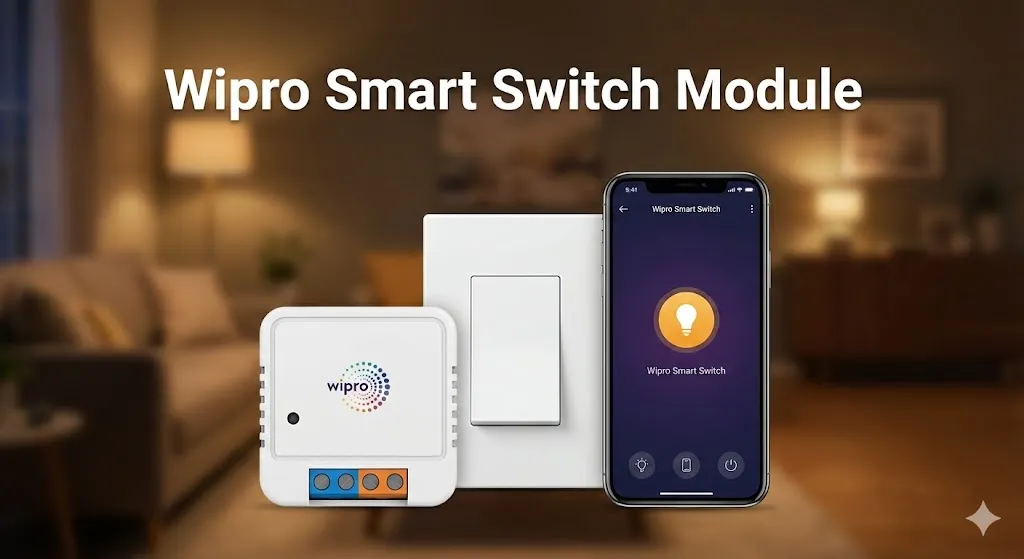
The Wipro Smart Switch Module is a small, compact device designed to fit inside your existing electrical switchboard. Unlike smart bulbs (which stop working if you turn off the main switch) or smart plugs (which stick out of the socket), this module hides inside the wall.
It sits between your electrical supply and your appliance (like a light or a fan). Once installed, it connects to your home Wi-Fi network. This allows you to control that specific appliance using your smartphone or voice commands, all while keeping your original physical switches working just fine.
It is essentially a bridge that turns your “dumb” tube light or ceiling fan into a smart device in minutes.
Why Choose a Smart Module Over Smart Bulbs?
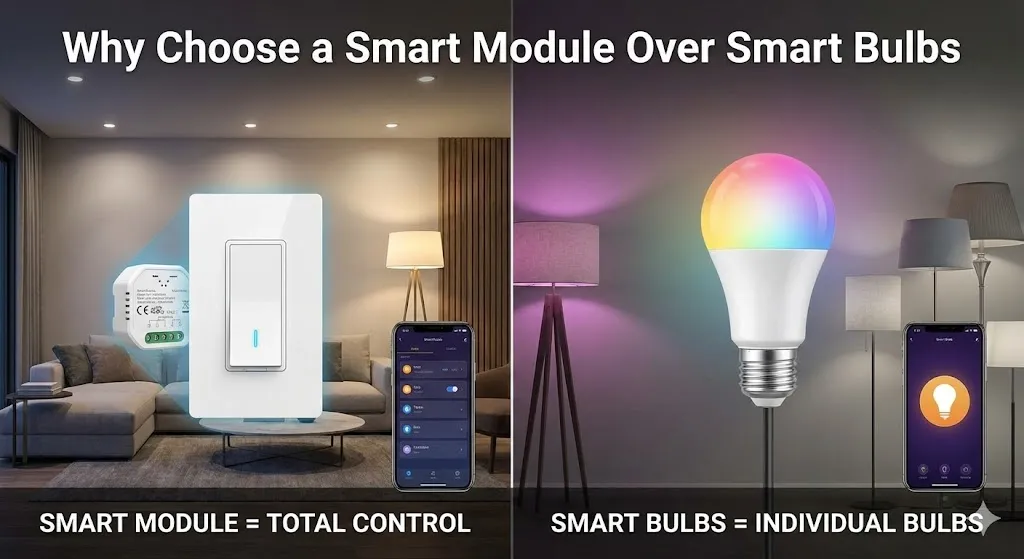
When people start their smart home journey, they often buy a smart bulb first. While smart bulbs are great, they have one major flaw: if someone turns off the physical wall switch, the bulb goes offline, and you can’t control it from your phone anymore.
Here is why the Wipro Smart Switch Module is often a better choice:
- Dual Control: This is the biggest advantage. You can use the physical switch on the wall OR your phone. If you turn the light off with the app, you can turn it back on with the switch, and vice versa.
- Keep Your Style: You don’t need to replace your beautiful, matching switch plates. The module hides invisibly behind them.
- Cost-Effective: If you have a chandelier with five bulbs, buying five smart bulbs is expensive. With one smart module, you can control the entire chandelier at once.
- No “Offline” Issues: Even if the physical switch is used, the device stays connected to the Wi-Fi.
Key Features of the Wipro Smart Switch Module
Wipro has become a trusted name in Indian smart home tech, and their switch module is packed with useful features.
1. Control from Anywhere
Once connected to the Wipro Next Smart Home App, you can control your devices from anywhere in the world. As long as your phone has the internet, you can turn off that light you forgot about while you are sitting at your office desk.
2. Voice Control
The module pairs seamlessly with Amazon Alexa and Google Assistant. This means you can simply say, “Alexa, turn on the living room fan,” or “Ok Google, turn off the kitchen light,” and it happens instantly. It feels like magic!
3. Schedules and Timers
You can automate your life. Set the porch light to turn on automatically at 6:00 PM and turn off at 6:00 AM. Or, set a timer for the geyser to run for 20 minutes and then switch off automatically, saving you electricity.
4. Family Sharing
You don’t have to be the only one with control. You can share access with your family members through the app so everyone can control the lights from their own phones.
Installation: Is It Hard?
Note: Working with electricity can be dangerous. If you are not confident, please hire a local electrician. It will only take them 10 minutes.
The installation of a Wipro Smart Switch Module is straightforward for anyone familiar with basic wiring.
The Neutral Wire Requirement: Most smart modules, including Wipro’s, require a “Neutral” wire inside the switchboard to stay powered. In many older Indian homes, the switchboard only has the “Live” (Phase) wire, while the Neutral goes directly to the bulb. Before buying, open your switchboard and check if there is a bundle of black wires (usually Neutral) inside. If not, an electrician may need to pull a Neutral wire for you.
The Basic Steps:
- Turn off the mains: Safety first!
- Open the switchboard: Unscrew the plate.
- Identify wires: Find the wire going to the light/fan and the main Live wire.
- Connect the Module: The module will have slots for Input (Live/Neutral) and Output (to the appliance). It also has wires to connect to the physical switch.
- Pairing: Turn the power back on. The module will usually beep or blink. Open the Wipro Next Smart Home App, search for the device, and enter your Wi-Fi password.
- Close it up: Once paired, push the module into the empty space in the switch box and screw the plate back on.
Practical Uses for Your Daily Life
How does this actually help you in real life? Here are a few scenarios where a Wipro Smart Switch Module shines:
- The “Lazy” Morning: Schedule your bedroom fan to turn off or your lights to turn on gently at 7:00 AM to help you wake up.
- Security: If you are on vacation, you can create a schedule where your living room lights turn on and off at random times in the evening. This makes it look like someone is home, discouraging burglars.
- The Geyser Saver: We often forget to turn off heavy appliances like geysers. With the smart module (ensure you buy the 16A version for heavy loads), you can set a countdown timer every time you turn it on.
- Elderly Parents: If you have aging parents who struggle to walk to the switchboard, installing a smart module allows them to control their room lights using a simple voice command or a remote handy on their phone.
Troubleshooting Common Issues
While the Wipro Smart Switch Module is reliable, here are a few things to keep in mind:
Wi-Fi Range
The module is tucked inside a plastic or metal box inside a wall. This can reduce Wi-Fi signal strength. Ensure your Wi-Fi router is not too far away from the switchboard. If the device frequently goes “offline,” you might need a Wi-Fi extender.
Space Constraints
Some older switch boxes are very small and crowded with wires. The module is compact, but it still takes up space. Make sure there is enough depth in your wall box to fit the module comfortably without crushing the wires.
Resetting the Device
If you change your Wi-Fi password, you will need to reset the device. usually, this is done by flipping the physical switch on and off roughly 5 to 10 times in quick succession until the module beeps, entering pairing mode again.
Conclusion
The era of the smart home is here, and it doesn’t require a massive renovation budget. The Wipro Smart Switch Module offers the perfect balance of technology and tradition. It respects the way you currently use your home (via switches) while adding the futuristic convenience of app and voice control.
Whether you want to save electricity, increase security, or just enjoy the luxury of controlling your lights without getting up from the sofa, this little device is a fantastic investment.
Start with one room, perhaps your living room or bedroom, and experience the convenience for yourself. Once you install your first Wipro Smart Switch Module, you’ll wonder how you ever lived without it!