Working from home is the new normal for millions of people. But when you start looking at Instagram or Pinterest for inspiration, it’s easy to get discouraged. You see $1,000 ergonomic chairs, massive mahogany desks, and high-tech monitors that cost more than a used car.
It makes you wonder: Is it actually possible to create a professional, comfortable workspace on a tight budget?
The answer is a resounding yes. You don’t need a corporate budget to be productive. With a little creativity and smart shopping, you can build a complete home office setup under $500 that looks great and feels even better.
This guide will walk you through exactly how to allocate your money, what gear to prioritize, and where to cut costs without sacrificing quality.
The Strategy: Prioritizing Comfort Over Style
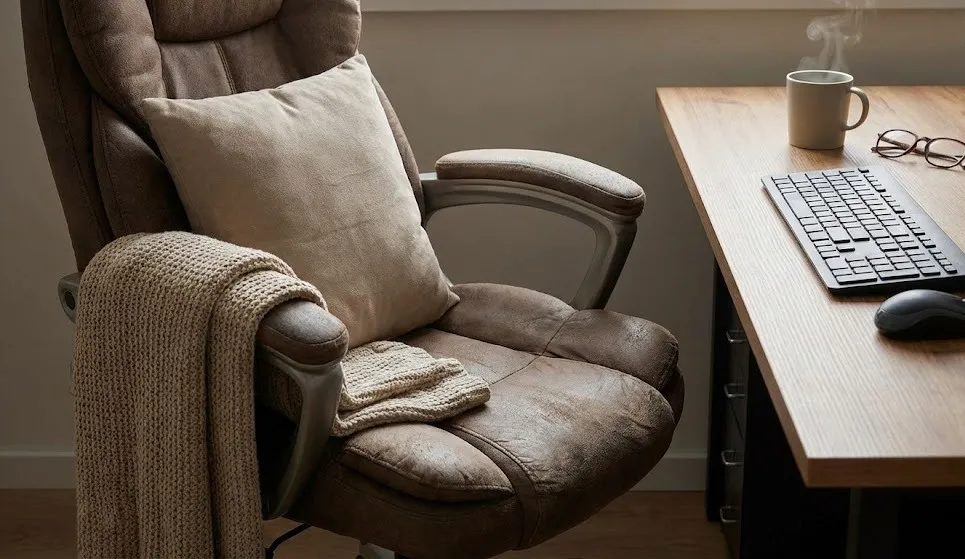
Before we start buying, we need a plan. When your budget is capped at $500, you cannot afford to waste money on things that just “look cool.” You need gear that works.
The “Golden Rule” of budget office building is this: Spend money on what touches your body.
If you spend 8 hours a day sitting, your chair is the most important investment. Your desk just holds things up; your chair supports your spine. Therefore, our budget breakdown will look something like this:
- The Chair: 30% of budget
- The Desk: 20% of budget
- The Monitor: 25% of budget
- Peripherals (Keyboard/Mouse/Audio): 15% of budget
- Lighting & Decor: 10% of budget
Let’s dive into the specifics of building your complete home office setup under $500.
1. The Throne: Finding an Ergonomic Chair (~$130)
Many people try to save money by using a dining room chair or a cheap $50 decorative chair. Do not do this. Your back will punish you within a week.
For a budget setup, you are looking for a “Mesh Task Chair.” You want mesh because it breathes (keeping you cool) and it usually offers decent lumbar support at a lower price point than leather.
What to look for:
- Adjustable Height: Essential for aligning your eyes with your monitor.
- Lumbar Support: A curved backrest that supports your lower spine.
- Swivel Base: So you can reach things without twisting your back.
You can easily find solid, unbranded mesh ergonomic chairs on Amazon or at office supply staples in the $100 to $140 range. They might not be famous designer brands, but they will keep you comfortable for an 8-hour shift.
2. The Foundation: A Sturdy, Simple Desk (~$80)
Unlike a chair, a desk is a very simple piece of furniture. It doesn’t need moving parts. It just needs to be flat and stable.
To keep our complete home office setup under $500, we need to avoid solid wood. Instead, look for:
- Particle Board/Laminate: These are lightweight and cheap.
- Metal Legs: Simple metal frames are sturdy and inexpensive to ship.
- Writing Desks: Search for “writing desk” or “computer desk” rather than “executive desk.”
A popular hack is to buy a simple tabletop and four screw-in legs separately (often available at stores like IKEA). This can sometimes cost as little as $60. If you are handy, you can even thrift an old table and sand it down, saving even more money for the tech.
3. The Visuals: A Decent 24-inch Monitor (~$110)
Working solely on a laptop screen is a recipe for neck strain and low productivity. An external monitor is a game-changer. It allows you to keep your head up and have multiple windows open side-by-side.
For our budget, we are targeting a 24-inch IPS Monitor (1080p).
- Why 24-inch? It’s the sweet spot for price and size.
- Why IPS? IPS panels have better colors and viewing angles than cheaper TN panels.
- Why 1080p? 4K monitors are great, but they destroy budgets. For general work, 1080p is perfectly crisp.
You can find reliable models from brands like Acer, Dell, or HP in the $100–$120 range. If you have an HDMI cable lying around the house, use it! Monitors often don’t come with the specific cable you need, so check your junk drawer first.
4. The Tools: Keyboard and Mouse Combo (~$40)
If you are buying a fancy mechanical keyboard and a gaming mouse, you will blow your budget instantly. For a work setup, you need reliability and battery life.
The smartest move here is to buy a Wireless Keyboard and Mouse Combo. Logitech and Microsoft make excellent bundles where both devices connect via a single USB receiver.
Benefits of a Combo:
- Cheaper: Buying them together is almost always 20% cheaper than buying separately.
- Cleaner Desk: Only one USB port used and no messy wires.
- Battery Life: Non-gaming office gear often has batteries that last for 12+ months.
5. The Audio: Headset or Earbuds? (~$40)
If you take Zoom calls or Google Meets, you cannot rely on your laptop’s built-in microphone. It picks up echoes and makes you sound unprofessional.
You have two choices here:
- Budget USB Headset: Look for something with a noise-canceling microphone. It won’t look stylish, but your voice will sound crystal clear.
- Wired Earbuds: Surprisingly, standard wired earbuds (the kind that used to come with phones) often have excellent microphones.
Allocate about $40 here. If you already own decent headphones, congratulations! You just saved $40 that you can put toward a better chair.
6. The Atmosphere: Lighting and Accessories (~$50)
We have about $50 left in our budget. This is where we add the human touch. A complete home office setup under $500 shouldn’t feel like a prison cell.
- Desk Lamp ($20): Good lighting reduces eye strain. A simple adjustable LED lamp is sufficient.
- Laptop Stand ($15): If you are using your laptop as a second screen, you need to elevate it to match your monitor’s height. A cheap metal or plastic stand works wonders.
- Desk Pad ($15): A large mouse pad (desk mat) protects your cheap desk surface and makes the whole setup look cohesive and modern.
The Final Cost Breakdown
Let’s see if we hit our target. Prices fluctuate, but here is a realistic estimate based on current market averages:
| Item | Estimated Cost |
| Ergonomic Mesh Chair | $130 |
| Simple Desk (40-48 inch) | $80 |
| 24″ IPS Monitor | $110 |
| Keyboard/Mouse Combo | $40 |
| USB Headset | $40 |
| Desk Lamp & Mat | $35 |
| Total | $435 |
We did it! We are well under the $500 limit. This leaves you with a safety buffer of $65.
What to do with the extra $65?
- Shipping & Tax: Ideally, this buffer covers those pesky extra fees.
- Webcam: If your laptop camera is broken, you can grab a decent 720p webcam.
- Plants: A fake (or real) plant adds life to the desk and boosts mood.
- Cable Management: Velcro ties and clips to hide the mess of wires.
Smart Shopping Tips for Budget Offices
To ensure you stay within this price range while building your complete home office setup under $500, keep these tips in mind:
- Check the “Used” Market: Facebook Marketplace and Craigslist are goldmines for desks. You can often find high-quality desks for $20 simply because someone is moving and doesn’t want to carry it.
- Refurbished Tech: Amazon Renewed or Best Buy Outlet often sell monitors and peripherals for 30% off because the box was opened.
- Wait for Sales: Back-to-school sales (August) and Black Friday (November) are the best times to buy office gear.
Conclusion
Building a professional workspace doesn’t require a loan. It requires prioritization. By focusing your money on a good chair and a decent monitor, and saving money on the desk and accessories, you can create a space that invites productivity.
Remember, the goal of a complete home office setup under $500 isn’t to end up on the cover of a design magazine. The goal is to create a space where you can do your best work comfortably. Start with the essentials listed above, and upgrade piece by piece as your career grows.
Your back, and your wallet, will thank you.