Introduction
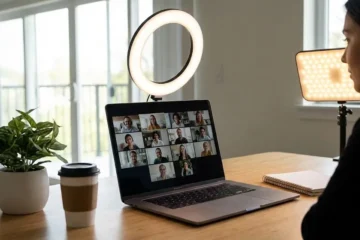
Video meetings, remote work, online teaching, and virtual interviews have become part of our daily lives. As we step into 2025, the demand for clear and professional-looking video calls is higher than ever. Whether you work from home, run an online business, or simply want to look your best in virtual meetings, the best webcam for Zoom meetings in 2025 can completely transform your video presence.
A good webcam makes you appear sharper, brighter, and more professional. It improves lighting, captures better audio, and gives a smoother video experience. In this detailed guide, we’ll explore what makes a webcam great, the features to look for, and the top models worth buying in 2025.
Why You Need the Best Webcam for Zoom Meetings
Built-in laptop webcams rarely deliver the best image quality. They often struggle in low light, have poor microphones, and show dull colors. That’s why upgrading to a dedicated webcam can make such a difference.
Here’s why it matters:
- Professional Appearance: A clear, sharp image instantly boosts your confidence and credibility.
- Better Lighting & Clarity: A good webcam adapts to low light, making you visible even in dim rooms.
- Smoother Performance: Modern webcams provide better frame rates and more accurate color representation.
- Improved Audio: Many webcams now include noise-cancelling microphones, reducing background noise.
- Privacy & Control: Some webcams come with physical shutters and better software for video settings.
The result? You look and sound professional, every single time.
Key Features to Look For
Before choosing your webcam, it’s essential to know what makes one better than another. Let’s break down the important specifications.
| Feature | Why It Matters | Recommended for 2025 |
|---|---|---|
| Resolution | Higher resolution gives sharper image quality. Even if Zoom limits resolution, the clarity is better. | 1080p (Full HD) is the minimum; 2K or 4K is excellent. |
| Frame Rate | Determines how smooth your video looks. | 30fps minimum; 60fps is ideal for smoothness. |
| Low-Light Performance | Important for those who work in dim rooms. | Choose webcams with auto exposure and HDR. |
| Field of View (FOV) | Decides how much of the background is visible. | 70°–90° is perfect for most users. |
| Autofocus | Keeps you sharp even if you move. | Always choose fast, accurate autofocus. |
| Built-in Microphone | Helps when you don’t use external mics. | Look for dual mics with noise reduction. |
| Mounting Options | Flexibility to use on monitors or tripods. | Adjustable clips or tripod mounts recommended. |
| Privacy Shutter | Protects your privacy. | Must-have feature for security. |
What’s New in Webcams in 2025
Webcams have evolved rapidly. Here’s what’s trending this year:
- AI-Powered Tracking: Many new webcams use AI to automatically follow your face or body, keeping you centered on screen.
- 4K and HDR Video: Affordable webcams now deliver ultra-clear visuals and natural color tones.
- Better Noise Cancellation: Dual or beamforming microphones improve voice clarity and eliminate background noise.
- Compact & Sleek Design: Slim webcams that fit neatly on top of monitors are popular.
- Enhanced Privacy Controls: Built-in lens covers and LED indicators show when the camera is on.
Top 10 Webcams for Zoom Meetings in 2025
Here are some of the best options available this year, categorized by budget and use.
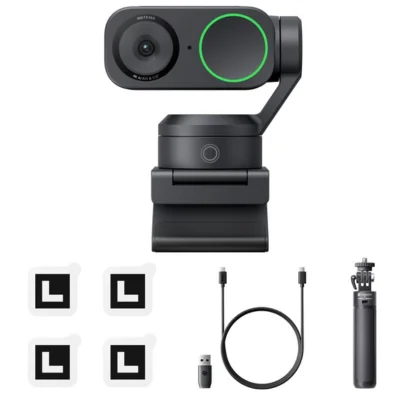
1. Insta360 Link 2 (Premium Choice)
- Resolution: 4K Ultra HD
- Frame Rate: 60fps
- Highlights: AI tracking, gesture control, and gimbal movement.
- Why Buy: Perfect for professionals, teachers, or presenters who move during meetings.
- Drawback: High price, but worth it for advanced users.
2. Logitech Brio 500 (Best for Most Users)
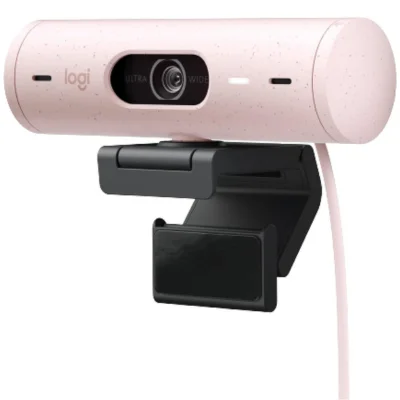
- Resolution: 1080p with HDR
- Frame Rate: 60fps
- Highlights: True-to-life color, excellent low-light performance, privacy shutter.
- Why Buy: Reliable, user-friendly, and compatible with all major platforms.
3. Anker PowerConf C200 (Best Mid-Range Webcam)
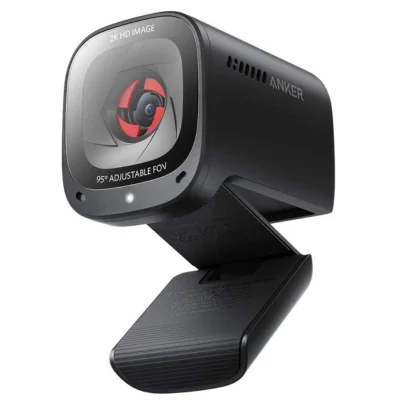
- Resolution: 2K QHD
- Frame Rate: 30fps
- Highlights: Adjustable FOV, dual microphones, clear image even in poor lighting.
- Why Buy: Excellent balance of price and performance.
4. Elgato Facecam 4K (For Content Creators)
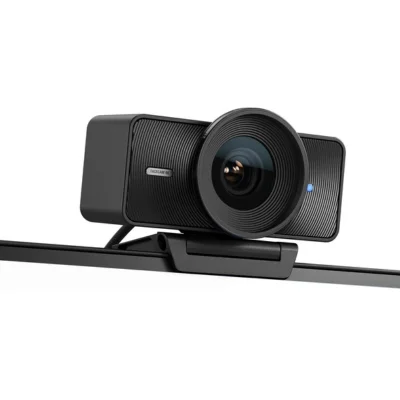
- Resolution: 4K @ 60fps
- Highlights: Superb lens quality, manual control through software, sharp detail.
- Why Buy: Ideal for streamers and YouTubers who also use Zoom.
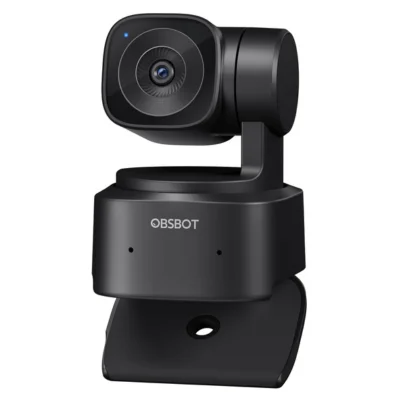
5. OBSBOT Tiny SE (Smart Tracking Web
6. Poly Studio P5 (Reliable Office Webcam)
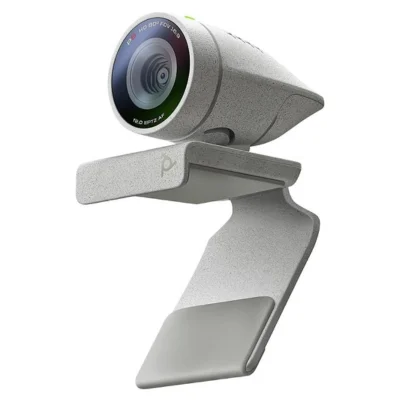
- Resolution: 1080p
- Highlights: Compact, privacy shutter, high-quality audio.
- Why Buy: A solid, no-nonsense webcam for everyday business meetings.
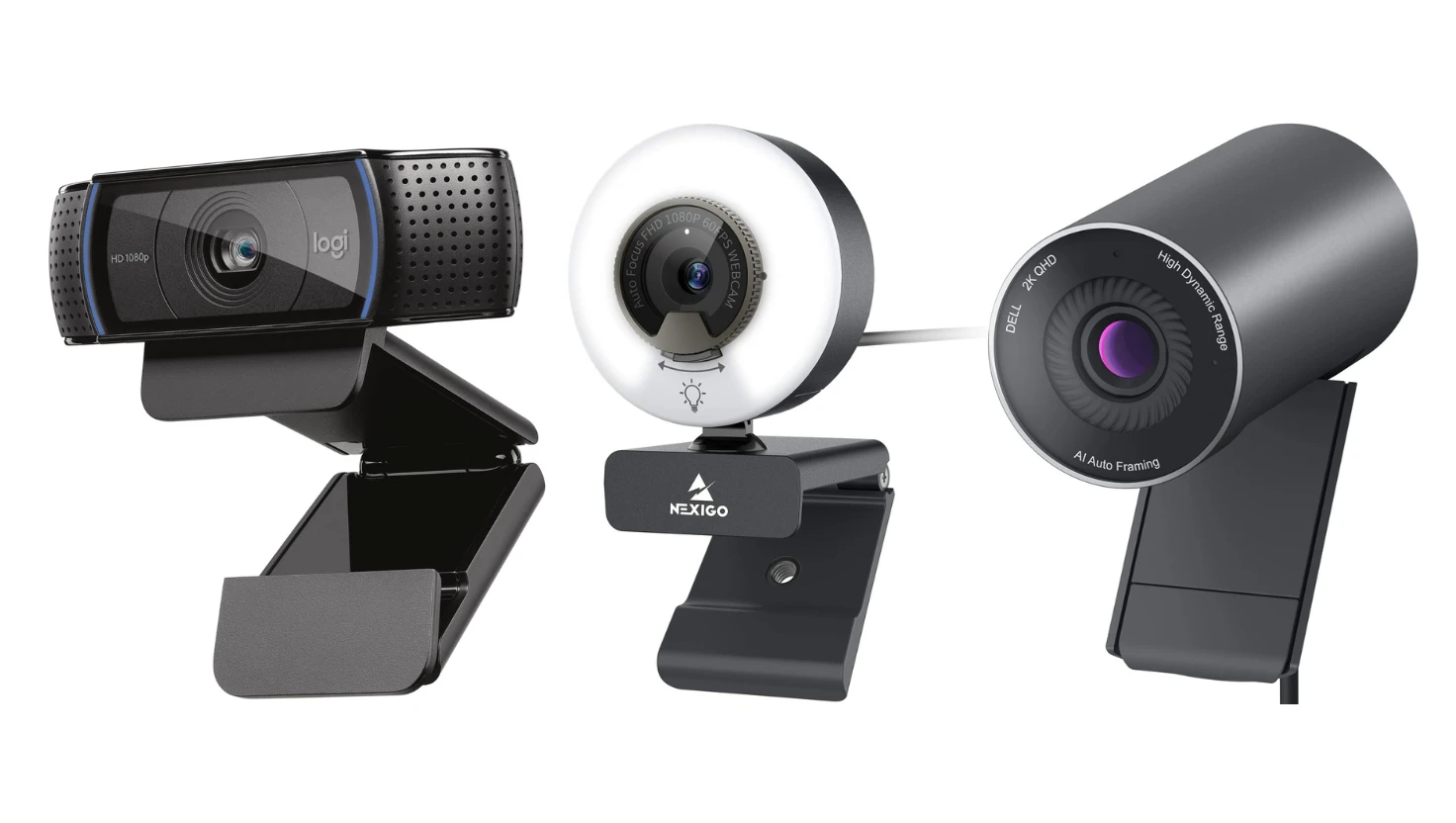
7. Dell WB5023 Pro (Feature-Rich Option)
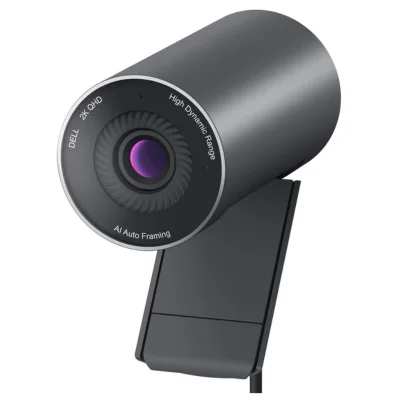
- Resolution: 2K QHD
- Highlights: Adjustable field of view, HDR mode, physical shutter.
- Why Buy: Offers professional-level features at a mid-range price.
8. Logitech C920 / C920S (Budget Classic)
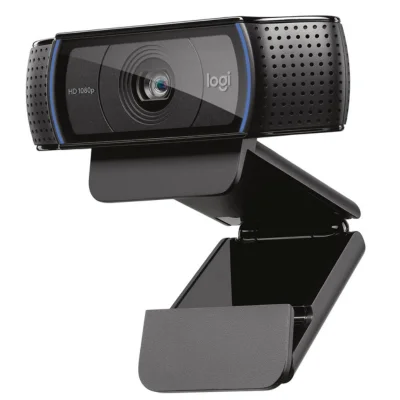
- Resolution: 1080p
- Highlights: Sharp video, good autofocus, dual microphones.
- Why Buy: A proven favorite for years, reliable and affordable.
9. NexiGo N960E (Best with Built-in Light)
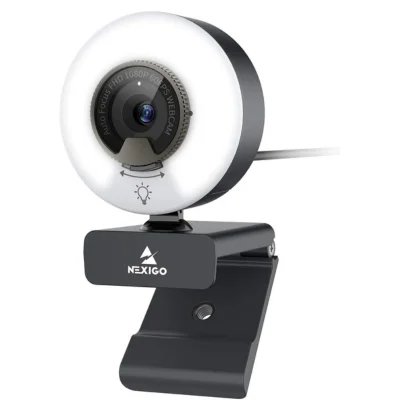
- Resolution: 1080p
- Highlights: Ring light, privacy cover, fast autofocus.
- Why Buy: Perfect for low-light setups or small offices.
10. Jio JCM0112 USB Webcam (Local Favorite in India)
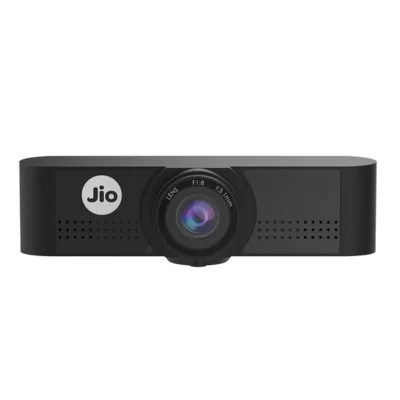
- Resolution: 1080p
- Highlights: Plug-and-play, decent microphone, compact design.
- Why Buy: Good entry-level webcam for personal and office use.
Feature Comparison Table
| Webcam | Resolution | Frame Rate | Key Feature | Best For |
|---|---|---|---|---|
| Insta360 Link 2 | 4K | 60fps | AI tracking | Professionals |
| Logitech Brio 500 | 1080p | 60fps | HDR color | Most users |
| Anker PowerConf C200 | 2K | 30fps | Dual mics | Office meetings |
| Elgato Facecam 4K | 4K | 60fps | Manual control | Streamers |
| OBSBOT Tiny SE | 1080p | 60fps | Auto-tracking | Teachers |
| Poly Studio P5 | 1080p | 30fps | Privacy shutter | Business users |
| Dell WB5023 Pro | 2K | 30fps | Adjustable FOV | Professionals |
| Logitech C920S | 1080p | 30fps | Reliable autofocus | Budget buyers |
| NexiGo N960E | 1080p | 30fps | Built-in light | Low-light use |
| Jio JCM0112 | 1080p | 30fps | Compact design | Entry-level users |
Tips for Better Zoom Call Quality
Even with the best webcam, your setup affects video quality. Here’s how to look your best:
- Improve Lighting: Use natural light or a ring light facing your face. Avoid harsh backlighting.
- Set Camera at Eye Level: Position your webcam at or just above your eyes for a natural look.
- Clean Background: A neat, distraction-free background looks more professional.
- Check Your Internet: Stable connection ensures smooth video without lag.
- Use Headphones or Mic: If your webcam mic isn’t great, use a headset for clearer audio.
- Test Before Meetings: Always preview your camera in Zoom settings before joining.
- Update Software: Keep your webcam drivers and Zoom app updated for better compatibility.
Webcam Price Guide (2025)
| Category | Price Range (INR) | What You Get |
|---|---|---|
| Budget | ₹2,000–₹7,000 | 1080p video, basic autofocus, decent audio. |
| Mid-Range | ₹7,000–₹15,000 | 2K or HDR video, dual mics, privacy shutter. |
| Premium | ₹15,000+ | 4K video, AI tracking, gimbal movement, top build quality. |
Choosing the Right Webcam for You
Here’s a quick summary of which webcam fits your situation best:
| Use Case | Recommended Webcam | Why |
|---|---|---|
| Work-from-home professionals | Logitech Brio 500 / Anker C200 | Reliable, crisp video with great sound. |
| Teachers & Trainers | OBSBOT Tiny SE / Insta360 Link 2 | Tracks movement automatically. |
| Business Executives | Dell WB5023 Pro / Poly Studio P5 | Sleek, professional, privacy features. |
| Content Creators & Streamers | Elgato Facecam 4K | Studio-level quality. |
| Budget Users & Students | Logitech C920S / Jio JCM0112 | Affordable, plug-and-play. |
Common Mistakes to Avoid
- Ignoring Lighting: Even the best webcam can’t fix poor lighting.
- Not Checking Compatibility: Some webcams need USB 3.0 ports; always confirm before buying.
- Overpaying for 4K: Zoom often compresses video, so 4K is only worth it if you record content too.
- Neglecting Audio Quality: Always consider how you sound, not just how you look.
- Skipping Updates: Outdated software causes glitches and freezes.
Final Thoughts
In 2025, choosing the best webcam for Zoom meetings depends on your needs, environment, and budget.
- If you’re a professional or presenter, go for the Insta360 Link 2 or Elgato Facecam 4K.
- If you want affordable performance, Logitech Brio 500 and Anker PowerConf C200 offer excellent results.
- For everyday meetings, the Logitech C920S remains a timeless, dependable choice.
No matter which webcam you choose, combine it with good lighting, a stable internet connection, and proper setup and you’ll always look confident, clear, and professional in every Zoom meeting.