Introduction
In today’s digital world, every small business needs a reliable computer to stay productive, organized, and connected. Whether you’re managing accounts, editing marketing materials, attending online meetings, or sending invoices, your laptop is the heartbeat of your business operations. Choosing a good laptop computer for small business can make a world of difference in efficiency, professionalism, and long-term value.
But with so many models available, from lightweight ultrabooks to powerful business machines, it’s easy to feel lost. The key is finding a laptop that balances performance, durability, battery life, and price. In this detailed guide, we’ll walk you through what makes a laptop ideal for small business use and review some of the best options available right now.
Why the Right Laptop Matters for Small Businesses

Your laptop isn’t just a tool, it’s an investment. For small business owners, time and reliability are everything. When your system crashes or lags during an important client meeting, it doesn’t just affect your workflow; it impacts your brand reputation and productivity.
Here’s why choosing a good laptop computer for small business is so important:
- Productivity: A fast, responsive laptop helps you complete tasks quicker.
- Reliability: Fewer technical issues mean less downtime.
- Portability: You can work from anywhere — home, café, or while traveling.
- Professional Image: A sleek, modern device leaves a lasting impression on clients.
- Longevity: A good laptop lasts several years, saving replacement costs.
Essential Features to Look For
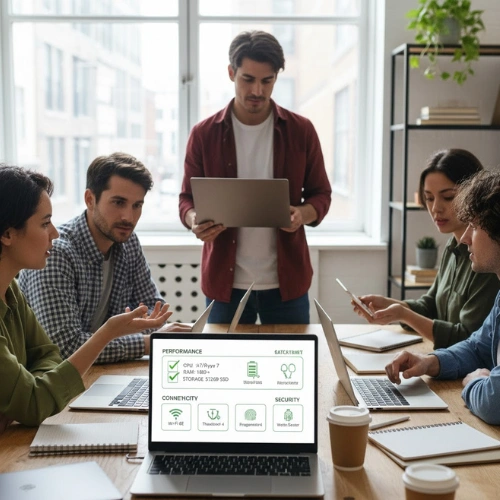
When buying a laptop for small business use, focus on these key aspects. They’ll help ensure you get the right mix of power, portability, and value.
1. Processor (CPU)
The processor is your laptop’s brain. It determines how fast your system handles tasks.
- For most business users: Intel Core i5 / i7 or AMD Ryzen 5 / 7
- For Apple users: Apple M2 or M3 chip
- If you use heavy software (like video editing or data analysis), go for higher-end CPUs.
2. Memory (RAM)
RAM helps you multitask efficiently.
- Minimum: 8GB RAM for basic office tasks.
- Ideal: 16GB RAM or higher for smoother multitasking.
If your business uses demanding apps or multiple browser tabs, 16GB makes a huge difference.
3. Storage (SSD over HDD)
Storage determines how much data and how fast your laptop runs.
Always choose SSD (Solid State Drive) for faster performance and durability.
- Minimum: 256GB SSD
- Recommended: 512GB or 1TB SSD
4. Display
A clear, bright screen is vital for long working hours.
- Ideal size: 13 to 15 inches
- Resolution: Full HD (1920×1080) or higher
If you travel a lot, a 13-inch lightweight model is great. For desk-based work, 15-inch screens offer more space.
5. Battery Life
Battery life matters when working remotely. Look for laptops that last 10 to 15 hours on average use. The less you depend on the charger, the better your mobility.
6. Build Quality
Business laptops should survive daily wear and tear. Choose models made with metal or strong plastic chassis, sturdy hinges, and spill-resistant keyboards.
7. Security Features
Data security is critical for small business owners. Features like fingerprint scanners, TPM chips, or facial recognition offer added protection.
8. Connectivity and Ports
Ensure your laptop has enough connectivity options for your workflow:
- USB-A and USB-C ports
- HDMI port for external displays
- SD card slot (for photographers or designers)
- Wi-Fi 6 and Bluetooth 5.0+ for fast connectivity
9. Operating System
Choose one that fits your business environment:
- Windows: Most flexible and widely used for business tools.
- macOS: Best for creatives and Apple ecosystem users.
- ChromeOS: Simple, affordable, good for online-based work.
Best Laptops for Small Business (2025 Edition)
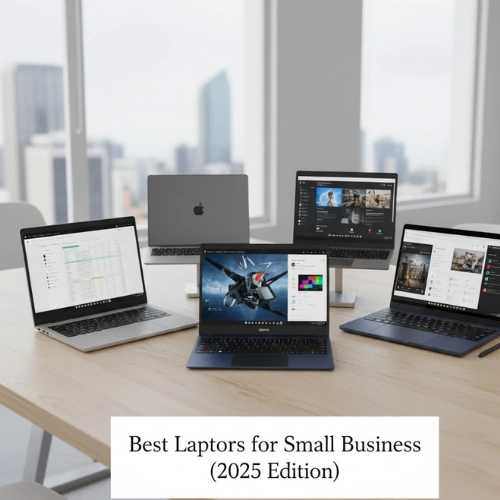
Let’s explore some of the best good laptop computers for small business that combine performance, design, and reliability. These options suit different business types and budgets.
1. Apple MacBook Air (M3, 2024)
Best for: Entrepreneurs and professionals who prioritize style, speed, and reliability.
Key Specs:
- Apple M3 chip
- 8GB / 16GB RAM
- 256GB / 512GB SSD
- 13.6-inch Retina Display
- Battery life: up to 18 hours
- Weight: 1.24 kg
Why it’s great:
The MacBook Air is a dream for business owners who want performance without bulk. It’s super lightweight, whisper-quiet, and built for everyday tasks like document editing, web browsing, email, and video calls. The M3 chip offers lightning-fast performance with exceptional battery life, perfect for travel or remote work.
If your business involves presentations, design, or video editing, the vibrant Retina display makes everything shine.
2. Dell XPS 13 Plus (2024)
Best for: Small business owners seeking a premium Windows laptop.
Key Specs:
- Intel Core Ultra 7
- 16GB RAM
- 512GB SSD
- 13.4-inch InfinityEdge Display
- Battery life: up to 13 hours
- Weight: 1.2 kg
Why it’s great:
The Dell XPS 13 Plus blends power, style, and durability. It’s compact but incredibly capable. Whether you’re managing spreadsheets or editing content, the XPS runs everything smoothly. Its premium aluminum body and edge-to-edge keyboard give it a professional, futuristic look.
For Windows users, this is one of the best good laptop computers for small business due to its balance of power and portability.
3. Lenovo ThinkPad X1 Carbon Gen 12
Best for: Professionals who need top-tier reliability and business features.
Key Specs:
- Intel Core i7 (13th Gen)
- 16GB RAM
- 512GB SSD
- 14-inch anti-glare display
- Battery life: up to 14 hours
- Weight: 1.12 kg
Why it’s great:
ThinkPads have long been trusted by professionals and corporations. The X1 Carbon offers military-grade durability, excellent keyboard comfort, and top security features like fingerprint login and TPM 2.0. It’s perfect for long working hours, travel, and demanding multitasking.
If your small business involves frequent client meetings or travel, this laptop is a powerhouse.
4. HP Spectre x360 14
Best for: Creative business owners who need flexibility and touchscreen functionality.
Key Specs:
- Intel Core i7
- 16GB RAM
- 512GB SSD
- 13.5-inch OLED touchscreen
- Battery life: up to 13 hours
- 2-in-1 convertible design
Why it’s great:
The HP Spectre x360 is versatile, it works as both a laptop and a tablet. This makes it ideal for small business owners in creative industries, consultants, or those who love taking handwritten notes. The OLED display provides vivid visuals, while its stylish design adds a professional edge.
5. ASUS ZenBook 14 OLED
Best for: Those who need strong performance at a mid-range price.
Key Specs:
- AMD Ryzen 7 or Intel Core i7
- 16GB RAM
- 512GB SSD
- 14-inch OLED display
- Battery life: up to 15 hours
- Weight: 1.3 kg
Why it’s great:
ASUS ZenBook 14 delivers excellent performance for business users at an affordable price. The OLED display makes presentations, documents, and images look crisp and colorful. Its slim design, lightweight body, and long-lasting battery make it a solid all-rounder for small business owners.
6. Acer Swift Go 14
Best for: Budget-conscious business owners who still want solid performance.
Key Specs:
- Intel Core i5 / i7
- 8GB RAM
- 512GB SSD
- 14-inch display
- Battery life: up to 10 hours
Why it’s great:
The Acer Swift Go is an affordable yet powerful option. It handles all essential business tasks, emails, presentations, video calls, with ease. The design is slim, and the battery life is reliable enough for a full day’s work. It’s ideal for startups or solo entrepreneurs watching their spending.
7. Lenovo IdeaPad Flex 5
Best for: Versatile use in office or travel.
Key Specs:
- AMD Ryzen 5
- 8GB RAM
- 512GB SSD
- 14-inch touchscreen
- Convertible 2-in-1 design
Why it’s great:
This laptop offers flexibility and affordability. The IdeaPad Flex 5 allows you to switch between laptop and tablet mode, making it perfect for presentations, video calls, or note-taking. For small business owners who love flexibility, it’s a smart pick.
Laptop Buying Tips for Small Business Owners
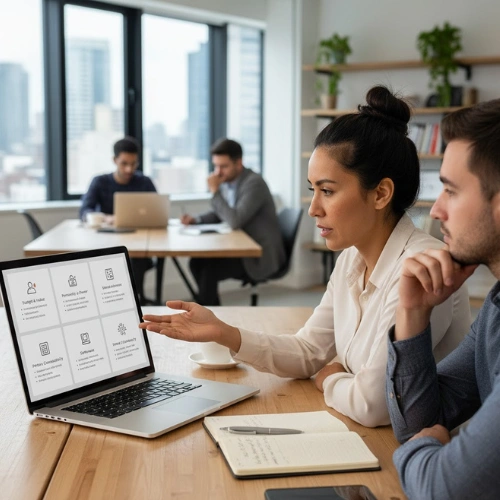
Even with great options, choosing the right laptop for your small business depends on your specific needs. Here are some smart tips to help you make a wise decision.
1. Define your business needs
- If you run an accounting firm or consultancy, focus on performance and storage.
- For design or marketing businesses, prioritize display quality and GPU.
- If you travel often, go for lightweight and long battery life.
2. Set a realistic budget
You don’t need to buy the most expensive model.
- Budget range (₹40,000–₹60,000): Suitable for startups and freelancers.
- Mid-range (₹70,000–₹1,00,000): Perfect for professionals needing power.
- Premium (₹1,00,000+): Ideal for creative or high-demand tasks.
3. Prioritize reliability
Choose brands known for good service and durability. A reliable laptop means fewer interruptions in your workflow.
4. Don’t ignore battery and keyboard comfort
If you spend long hours typing or traveling, comfort and battery endurance are crucial.
5. Consider future-proofing
Try to buy a machine that will serve you well for at least 3–5 years. Look for models that allow storage or RAM upgrades.
6. Backup and data protection
Always have automatic cloud backup or an external SSD. Data is the backbone of your business.
Comparison Table: Best Laptops for Small Business
| Model | Processor | RAM | Storage | Battery | Ideal For |
|---|---|---|---|---|---|
| Apple MacBook Air (M3) | Apple M3 | 8–16GB | 256–512GB | 18 hrs | Portability & reliability |
| Dell XPS 13 Plus | Intel Core Ultra 7 | 16GB | 512GB | 13 hrs | Windows professionals |
| Lenovo ThinkPad X1 Carbon | Intel Core i7 | 16GB | 512GB | 14 hrs | Frequent travelers |
| HP Spectre x360 | Intel Core i7 | 16GB | 512GB | 13 hrs | Designers & consultants |
| ASUS ZenBook 14 | AMD Ryzen 7 | 16GB | 512GB | 15 hrs | Mid-range users |
| Acer Swift Go 14 | Intel Core i5 | 8GB | 512GB | 10 hrs | Budget-conscious buyers |
| Lenovo IdeaPad Flex 5 | Ryzen 5 | 8GB | 512GB | 10 hrs | Flexible use |
How to Maintain Your Laptop for Longevity
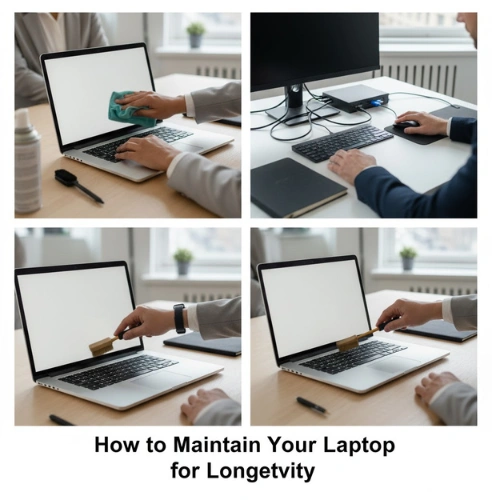
A good laptop computer for small business should last several years. Follow these maintenance tips to keep it running smoothly:
- Update regularly: Keep your OS and software up to date.
- Avoid overheating: Use on a hard surface; consider a cooling pad.
- Backup data: Always keep cloud or external backups.
- Clean screen & keyboard: Regular cleaning prevents damage.
- Use antivirus software: Protect your business data.
- Avoid overcharging: Keep battery between 20–80% for longer life.
Final Thoughts
Choosing the right good laptop computer for small business is about more than specs, it’s about how well the device fits your work style and goals.
If you value simplicity and reliability, the MacBook Air (M3) is unbeatable.
If you need Windows performance and sleek design, go for the Dell XPS 13 Plus or HP Spectre x360.
If you want durability and business-grade features, the Lenovo ThinkPad X1 Carbon is a trusted choice.
And if you’re watching your budget, ASUS ZenBook 14 or Acer Swift Go 14 give great value without compromise.
A well-chosen laptop can power your business for years, helping you stay efficient, professional, and future-ready.