
Introduction
If you are running a business, big or small, having reliable desktop computers is essential. They are the backbone of your daily operations, helping employees work efficiently, store important data, and connect with clients or colleagues. But when it comes to buying one, the question arises: what is a good desktop computer for business?
With so many models available, choosing the right one can be tricky. Business computers must balance speed, durability, upgrade options, security, and affordability. In this guide, we’ll walk through everything you need to know, from the most important features to look for to the best desktop models available today for business use.
By the end, you’ll have a clear idea of what makes a good desktop computer for business and which ones are worth your investment.
Why Choosing the Right Desktop Matters for Business

A good business desktop is more than just a computer, it’s a productivity tool that keeps your company running smoothly. Choosing the wrong system can lead to wasted money, downtime, and frustration.
Here’s why selecting the right one matters:
- Productivity: Faster processors, adequate RAM, and SSD storage allow employees to work efficiently without lag.
- Reliability: Business desktops are built to handle long working hours and heavy workloads.
- Security: Many business-grade systems include built-in security chips and professional software.
- Longevity: A slightly higher upfront investment can save you from frequent replacements.
- Service and Warranty: Business PCs often come with longer warranties and priority support.
Whether you’re a startup or a large enterprise, the right desktop setup directly impacts your company’s performance and peace of mind.
Key Features to Look for in a Good Desktop Computer for Business
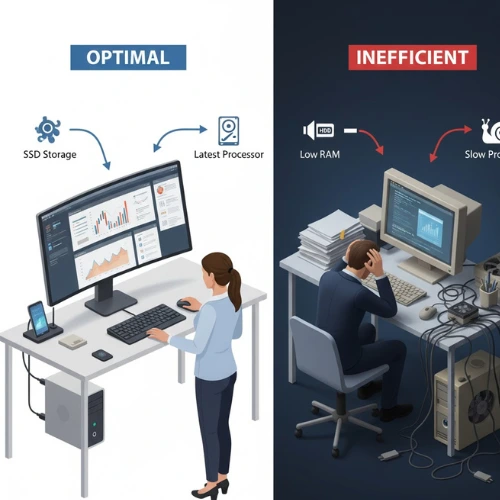
When searching for a good desktop computer for business, pay attention to these important features. Understanding each one helps you choose the perfect machine for your needs.
1. Processor (CPU) – The Brain of Your Computer
The processor determines how fast your desktop can perform tasks. A strong CPU ensures smooth multitasking, faster application launches, and better overall efficiency.
What to look for:
- Intel Core i5 or i7 (13th or 14th generation)
- AMD Ryzen 5 or Ryzen 7 (7000 series or later)
- For very light tasks, Intel i3 or Ryzen 3 is fine, but not future-proof.
- For power users, consider Intel i9 or Ryzen 9 processors.
Tip: Choose the latest generation CPUs—they are faster, more energy-efficient, and last longer.
2. Memory (RAM) – The Key to Smooth Multitasking
RAM (Random Access Memory) allows your computer to handle multiple tasks at once. If your team uses many apps or browser tabs, you need enough RAM to avoid slowdowns.
Ideal RAM for Business Desktops:
- Basic office work: 8GB
- Standard business use: 16GB
- Power users (design, data analysis, etc.): 32GB or more
Tip: Choose desktops with extra RAM slots so you can upgrade later.
3. Storage – Speed and Capacity Matter
A good desktop computer for business should have fast and reliable storage. Old hard drives (HDD) are slower and more prone to failure. Instead, choose SSDs (Solid State Drives).
Recommended setup:
- SSD (Solid State Drive) – for speed (minimum 512GB)
- HDD (Hard Disk Drive) – optional for extra storage (1TB or more)
- Many desktops offer hybrid storage: SSD + HDD for both speed and space.
Tip: SSDs make a huge difference—your system will boot up and load files much faster.
4. Graphics Card (GPU) – Not Always Essential
For most business tasks like email, Excel, or CRM software, integrated graphics are enough. However, if your work involves design, video editing, or 3D modeling, consider a discrete GPU.
Suggestions:
- Basic business use: Integrated Intel UHD or AMD Radeon graphics
- Creative professionals: NVIDIA GTX or RTX series, or AMD Radeon Pro
5. Connectivity and Ports
Business desktops should easily connect to monitors, printers, external drives, and networks.
Essential connectivity features:
- At least 6 USB ports (including USB 3.0 and USB-C)
- HDMI and DisplayPort for dual monitors
- Ethernet port for stable internet
- Wi-Fi 6 and Bluetooth 5.3 for wireless connectivity
6. Security Features
Businesses must protect sensitive data. A good desktop computer for business includes security hardware and software tools.
Look for:
- TPM (Trusted Platform Module) for data encryption
- BIOS protection
- Fingerprint or face recognition (optional)
- Remote management capabilities for IT teams
7. Build Quality and Durability
Business desktops are built for endurance. They often run all day, so look for a machine designed for long-term performance.
Ideal characteristics:
- Strong chassis that resists dust and heat
- Quiet cooling fans
- Stable power supply and components
- Compact yet ventilated design
8. Warranty and Support
When buying for business, always check warranty and after-sales service.
Business-grade warranties often include:
- 3 to 5 years of on-site service
- Priority support from the manufacturer
- Accidental damage coverage (optional)
9. Form Factor – Tower, Small Form, or All-in-One?
Different businesses have different space and design preferences.
Types:
- Tower PC: Large but offers best expandability and power.
- Small Form Factor (SFF): Compact, fits under desks, less upgradable.
- All-in-One (AIO): Combines monitor and computer in one; great for neat office setups.
Top 7 Desktop Computers for Business (2025 Recommendations)
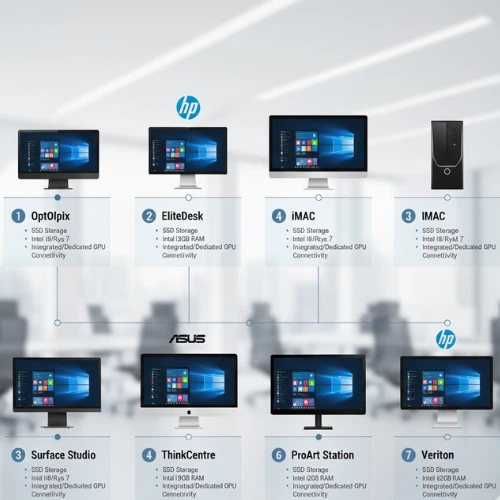
Now that you know what makes a desktop good for business, here are some of the best models available in 2025. Each one delivers a balance of performance, reliability, and value.
1. Dell OptiPlex 7010 Tower Desktop
Best for: Medium to large offices needing reliable performance.
Highlights:
- Intel Core i7 (13th Gen)
- 16GB DDR4 RAM, 512GB SSD
- Multiple USB and DisplayPorts
- Excellent thermal performance
- Optional NVIDIA GTX graphics
Why it’s great:
The Dell OptiPlex 7010 is one of the most trusted names in business computing. It’s powerful, secure, and easy to maintain, making it an excellent long-term investment.
2. HP EliteDesk 800 G9 Small Form Factor
Best for: Offices with limited space and professional workloads.
Highlights:
- Intel Core i5 or i7 (13th Gen)
- 16GB RAM, upgradable to 64GB
- 512GB NVMe SSD
- Compact but powerful
- Advanced security and HP Wolf Pro Security
Why it’s great:
This desktop packs serious power into a small case. It’s ideal for teams that need both speed and security without taking up much desk space.
3. Lenovo ThinkCentre M75q Gen 5
Best for: Small businesses and startups.
Highlights:
- AMD Ryzen 5 PRO 7500
- 16GB RAM, 512GB SSD
- Ultra-compact design
- Quiet operation
- Energy efficient
Why it’s great:
The ThinkCentre M75q is designed for productivity. It’s small enough to hide behind a monitor, yet strong enough for demanding business apps.
4. Apple iMac 24-inch (M3, 2025)
Best for: Creative professionals and design agencies.
Highlights:
- Apple M3 chip
- 8GB or 16GB unified memory
- 512GB SSD
- 4.5K Retina Display
- macOS for seamless productivity
Why it’s great:
If your business uses design, editing, or marketing software, the iMac delivers stunning visuals and unmatched reliability. It’s a premium choice that offers exceptional performance for creative workflows.
5. Dell Vostro 3910 Tower Desktop
Best for: Budget-conscious businesses.
Highlights:
- Intel Core i5 (12th Gen)
- 8GB RAM, 512GB SSD
- Compact tower design
- Great for daily office tasks
Why it’s great:
Affordable yet capable, the Dell Vostro series is ideal for small offices or startups needing dependable systems at a reasonable price.
6. HP All-in-One 27-inch Desktop
Best for: Front desks, reception areas, or minimalist offices.
Highlights:
- Intel Core i5 (12th Gen)
- 16GB RAM, 1TB SSD
- Full HD display built-in
- Sleek, cable-free design
- Optional touchscreen
Why it’s great:
The HP AIO gives your workspace a professional, clutter-free appearance while handling all everyday tasks efficiently.
7. Lenovo ThinkStation P3 Tower
Best for: Heavy-duty business use like engineering, analytics, or design.
Highlights:
- Intel Core i9 or Xeon processor
- Up to 128GB RAM
- Professional NVIDIA RTX graphics
- Advanced cooling and expandability
Why it’s great:
The ThinkStation P3 is a workstation built for professionals who handle demanding workloads. It’s ideal for businesses that require power and reliability without compromise.
How to Choose the Right Business Desktop for Your Needs
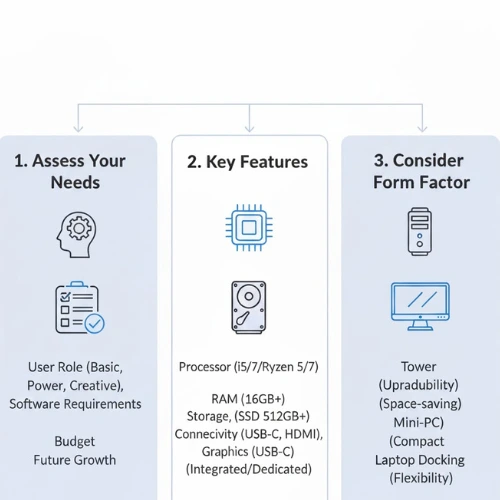
Now that we’ve seen the top models, how do you decide which one suits your office best? Here’s a simple approach.
2. Balance Between Price and Performance
Don’t overspend on specs you don’t need. Instead, invest smartly:
- Use SSD over HDD—it’s a must.
- Ensure at least 16GB RAM.
- Don’t ignore warranty and after-sales support.
3. Plan for the Future
Technology evolves fast. When choosing a good desktop computer for business, ensure it can handle future software updates and additional workloads.
Look for:
- Extra RAM slots
- Additional storage bays
- Multiple monitor support
- Upgradable graphics card
4. Space and Design Considerations
Think about your office layout:
- For large offices: Towers are great for flexibility.
- For compact spaces: Small form factors save space.
- For public areas: All-in-One PCs offer elegance and simplicity.
5. Support and Maintenance
Buy from brands that offer:
- Easy remote support
- On-site repair service
- Reliable driver and software updates
Dell, HP, and Lenovo lead in business support and warranty reliability.
Common Mistakes to Avoid When Buying Business Desktops
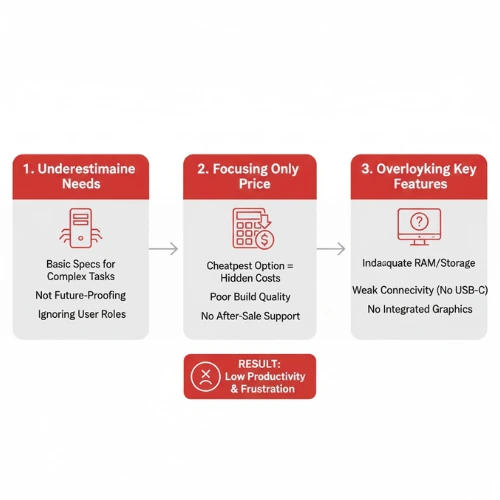
- Choosing too little RAM: 8GB might seem enough today, but it won’t last long.
- Ignoring upgrade options: Always check if you can expand storage or RAM.
- Skipping SSD: Traditional HDDs slow down productivity.
- Buying consumer models: Business desktops are more reliable and secure.
- Not checking warranty terms: Ensure at least 3 years of coverage.
- Mixing brands without planning: Standardize models across the company for easier IT management.
Tips for Maintaining Business Desktops
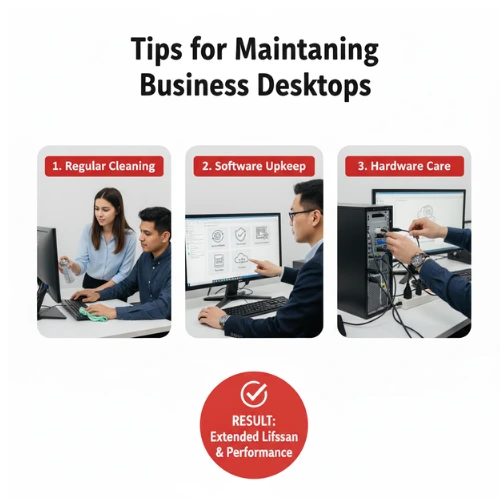
Even the best computers need care. Follow these steps to extend their lifespan:
- Keep them clean and dust-free.
- Update Windows/macOS regularly.
- Install only necessary business software.
- Use surge protectors to prevent damage.
- Schedule annual servicing or cleaning.
- Backup important data on the cloud or NAS storage.
Estimated Lifespan and Replacement Cycle
Most business desktops last 5 to 7 years, depending on maintenance and usage.
A good replacement plan:
- Replace high-use machines every 4 years.
- Upgrade RAM/SSD at the 3-year mark to extend life.
- Keep spare desktops for emergencies.
Final Thoughts
A good desktop computer for business is one that matches your company’s needs, performance goals, and budget. It should be reliable, secure, and capable of handling everyday workloads with ease.
Whether you choose the Dell OptiPlex, HP EliteDesk, or Lenovo ThinkCentre, make sure it includes the essential features: a strong processor, enough RAM, SSD storage, security tools, and good after-sales service.
Investing in high-quality desktops is not just about hardware, it’s about ensuring your business runs smoothly, securely, and efficiently for years to come.
So the next time you’re setting up or upgrading your office, remember this guide and you’ll confidently know what defines a good desktop computer for business.